
Klik! Software
About Products Buy Now Downloads Support Contact Links


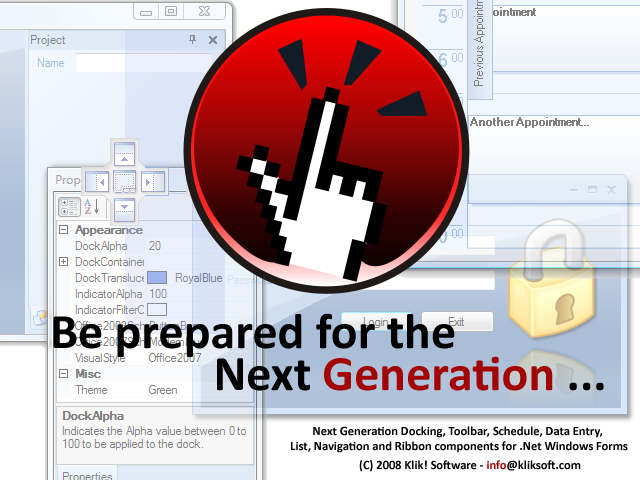
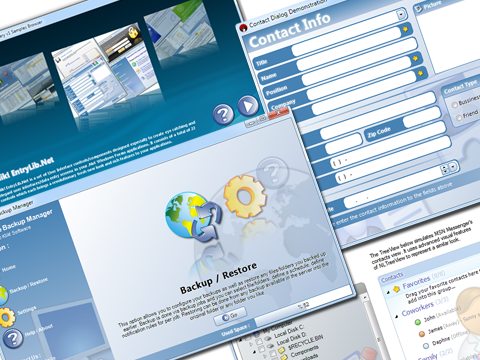
Klik! DockLib.Net for Windows Forms, part of Klik! Windows Forms Library, is a dockable layout management system to create next generation dockable window interfaces. It provides a complete modern replacement for tabbed MDI interfaces with great features such as docking/redocking and pinning.

Next Generation Behavior

Klik! DockLib.Net includes all the behaviors you expect from a next generation docking solution such as :

- A perfect full featured mimic of Visual Studio style docking mechanism.

- Docking/Undocking windows with docking indicators.

- Pinning dock items to container edges.

- A complete layout serialization system to easily store/restore the current layout.

- Ability to track and prevent any operation for any specific window such as docking, undocking, pinning, etc.

- Ability to flash dock captions and headers to get attention of user to any part of the layout system when needed.

Next Generation Look

Klik! DockLib.Net shines when it comes to look and it provides you all modern themes included but not limited to Office 2007, Office 2003 and Visual Studio. It includes plenty of other custom predefined themes created by our professional design team which can be applied with a single click.

Klik! Windows Forms Library includes style management as a core feature and as usual Klik! DockLib.Net uses it at it's maximum potential. You are not limited to only predefined styles provided by us and can create new styles, store and apply anytime you want. You can style every bit of the system including window captions, headers, containers, buttons , docking indicators, dockforms, tooltips and many more...

Next Generation Design-Time Experience

Creating a dockable layout could not be that much fun and easy, thanks to next generation design-time experience provided by Klik! DockLib.Net.

As a core share with other Klik! Windows Forms Library components, each component has it's own quick access menu associated with it which allows you to do many things with a single click such as adding new dock containers, new dock items and removing them.

There is also a design-time version of our docking engine where you can simply dock/redock any dockcontainer or dockitem within the design surface just as you can do in run-time.

Details
We have prepared different type of licenses for different type of needs. Please click one of the links below to go to the relevant page :

1 Developer License 249$
4 Developers License 499$
8 Developers License 749$
Site Wide License 1249$
Site Wide + Source Code License 2499$

The best way to see what our products does is to download and evaluate a trial version. Please click here to get the trial version of Klik! DockLib.Net v1.0.


A Murphy rule says that no application can be bugfree!:) Please click here to get the latest update pack for Klik! DockLib.Net v1.0.

Live chat by Boldcenter
CRM by Boldcenter
05.20.2008 - Klik! DockLib.Net v1.0. has been released...
Create Next Generation Dockable Windows Forms Interfaces
10.22.2007 - Klik! SizeLib.Net v3.0.5 has been released...
Make your .Net applications resolution independent...
10.21.2007 - Klik! EntryLib.Net v1.2.35 has been released...
Create state of the art User Interface/Data Entry Screens...
09.20.2007 - Klik! SizeLib.Net v3.0.4 has been released...
Make your .Net applications resolution independent...

Visit our discussion forum today to ask a question, share your experience, suggest a solution, make a criticism,...

Please click here to enter now...

Testimonials

I'm pleased to say that the Klik! Support team was able to find the bug and send me a new build of KRes2.ocx that fixed the problem! This was very fast, and very helpful, I'm impressed. The workaround did work, but this is even better. I told a co-worker about this over lunch and though he's less of a 3rd-party fan than I am, thought this was about 'best case' support. My own clients really liked that their windows were remembering the last size/position they used them (a SizePos feature) and that my largest screen now works much better on a 800x600 screen (a Resizer feature) Thanks!

Larry Baxter
Advanced Process Combinatorics Inc.

Klik! LayoutBundle Customer
  (C) 2002-2007 Klik! Software. All Rights Reserved.
info@kliksoft.com